
If you want 4K video, pick the Logitech MX Brio, the Logitech Brio 4K, or the Insta360 Link 2 Pro; if 1080p covers your calls, the Logitech C920x delivers full HD at 30 fps, and the Logitech Brio 101 delivers full HD with no frame rate stated in its listing. Only one of the five has a privacy shutter, only one pans and tilts on its own, and only one states a mic pickup distance of up to 1.2 meters.
Every number below comes from the listing for that product.
As an Amazon Associate, we earn from qualifying purchases.


Pick by Your Need
- Best overall: Logitech MX Brio. 4K at 30 fps, 1080p at 60 fps, and Show Mode for desk sharing.
- Best for privacy: Logitech Brio 101. The only one here with a stated built-in privacy shutter, in 1080p.
- Best for everyday calls: Logitech C920x. 1080p at 30 fps, dual mics, and a 3-month XSplit VCam license.
- Best for flexible framing: Logitech Brio 4K. Three field-of-view presets and 5x digital zoom.
- Best for moving presenters: Insta360 Link 2 Pro. AI tracking pans and tilts to follow you around the room in 4K.
Quick Answer
Pick the MX Brio for 4K streaming and desk sharing, or the Brio 4K for zoom and framing control at 4K at 30 fps or 1080p at 60 fps. The Brio 101 is the pick for a privacy shutter, the C920x covers plain 1080p calls, and the Link 2 Pro tracks you.
Comparison Table
| Webcam | Best for | Resolution and frame rate | Microphones | Trade-off | Buy |
|---|---|---|---|---|---|
| Logitech C920x | Everyday calls | 1080p at 30 fps | Dual mics | No privacy shutter | View on Amazon |
| Logitech Brio 101 | Privacy | 1080p (frame rate not stated) | Built-in mic | 1080p only, no 4K | View on Amazon |
| Logitech MX Brio | 4K streaming | 4K at 30 fps; 1080p at 60 fps | Dual beamforming mics | No shutter stated | View on Amazon |
| Logitech Brio 4K | Framing control | 4K at 30 fps; 1080p at 60 fps; 720p at up to 90 fps | Dual mics, up to 1.2 m | No shutter stated | View on Amazon |
| Insta360 Link 2 Pro | AI tracking | 4K (frame rate not stated) | Dual directional mics | No dimensions stated | View on Amazon |
Decision Guide
Start with resolution. Three of the five record in 4K: the MX Brio, the Brio 4K, and the Link 2 Pro. The MX Brio and the Brio 4K both state 4K at 30 fps and 1080p at 60 fps. The Link 2 Pro states 4K without a frame rate.
If privacy matters, the choice is narrow: the Brio 101 is the only one whose listing states a built-in privacy shutter, and the C920x listing states it has none. The other three listings do not state a shutter.
If you move while you present, pick the Link 2 Pro, whose AI tracking pans and tilts to keep you in frame, with DeskView, Whiteboard Mode, and 4K Portrait Mode. If you share desk work, pick the MX Brio for Show Mode, which tilts down to show your notes.
For microphones, the Brio 4K is the only one that states a distance, up to 1.2 meters. The MX Brio and the Link 2 Pro state dual beamforming or directional microphones, the C920x states dual mics, and the Brio 101 states one built-in mic. For framing, the Brio 4K leads with 5x digital zoom and three presets. For compatibility, check the Link 2 Pro first: it works with Windows, macOS, Chrome OS, and Linux, but not with ARM-based Windows systems or Windows Hello Face Recognition.
Product Sections
1. Logitech C920x HD Pro Webcam — Best Everyday 1080p Webcam
The C920x records full HD 1080p video at 30 fps with dual mics, autofocus, and HD light correction that fine-tunes lighting even in low light. It measures 2.8 by 1.7 by 3.7 inches, works with Windows 11, macOS, Zoom, Teams, Skype, Google Meet, and OBS, and comes with a 3-month XSplit VCam license for background removal without a green screen.
| Spec | From the listing |
|---|---|
| Resolution | 1080p at 30 fps |
| Microphones | Dual mics, stereo audio |
| Privacy shutter | No; the listing states it has none |
| Software | 3-month XSplit VCam license |
| Dimensions | 2.8 x 1.7 x 3.7 inches |
What you give up is privacy and resolution: dual mics and a background-removal license, but no shutter and no 4K.
2. Logitech Brio 101 Full HD Webcam — Best Privacy Shutter Webcam
The Brio 101 is the only webcam here with an integrated privacy shutter, a slide cover for total privacy when you are not on a call. It records full HD 1080p video, and its RightLight auto-light balance boosts brightness by up to 50 percent to reduce shadows, compared with previous-generation Logitech webcams. It measures about 2.87 inches wide and 2.62 inches tall and plugs in over USB for Teams, Zoom, and Google Meet.
| Spec | From the listing |
|---|---|
| Resolution | 1080p |
| Brightness | RightLight boosts brightness by up to 50% |
| Privacy shutter | Yes, integrated slide cover |
| Microphone | Built-in mic |
| Dimensions | 1.2562967 x 2.8704667 x 2.6236168 inches |
That privacy comes with a narrower spec sheet: the shutter and the brightness boost, but no 4K, no second microphone, and no stated frame rate.
3. Logitech MX Brio Ultra HD 4K Webcam — Best 4K Webcam for Streaming
The MX Brio records 4K at 30 fps or 1080p at 60 fps, the only frame-rate pair in this set shared with the Brio 4K. Its listing claims 70 percent larger pixels and 2x better face visibility in difficult light, with auto-exposure, auto white balance, and autofocus. Show Mode tilts the camera down to share notes and sketches on your desk, and dual beamforming microphones use AI to cut background noise.
| Spec | From the listing |
|---|---|
| Resolution | 4K at 30 fps; 1080p at 60 fps |
| Sensor pixels | 70% larger pixels, per the listing |
| Face visibility | 2x better in difficult light, per the listing |
| Microphones | Dual beamforming noise-reducing mics |
| Dimensions | 5.5 x 5.5 x 2.63 inches |
The catch is desk space and privacy: 4K, 60 fps at 1080p, and Show Mode, but no stated privacy shutter and the largest stated footprint here.
4. Logitech Brio 4K Webcam — Best for Flexible Framing
The Brio 4K records 4K at 30 fps, 1080p at 60 fps, or 720p at up to 90 fps, the widest set of frame-rate options here. Its 5x digital zoom and three diagonal field-of-view presets at 65, 78, and 90 degrees frame a head-and-shoulders view or more of the room, and its dual omnidirectional microphones capture audio from up to 1.2 meters away. RightLight 3 adjusts exposure and contrast for glare and backlighting, and the Logi Options+ app adds zoom control and manual focus.
| Spec | From the listing |
|---|---|
| Resolution | 4K at 30 fps; 1080p at 60 fps; 720p at up to 90 fps |
| Digital zoom | 5x |
| Field of view | 65, 78, and 90 degree diagonal presets |
| Microphones | Dual omnidirectional, up to 1.2 m |
| Dimensions | 1.02 x 4.02 x 1.02 inches |
Framing is the strength and the limit: the most framing options here, but the 5x zoom is digital and there is no stated privacy shutter.
5. Insta360 Link 2 Pro 4K PTZ Webcam — Best AI Tracking Webcam
Panning and tilting on its own, the Link 2 Pro uses AI tracking to follow your movements around the room to keep you or your group in frame, and it adds DeskView, Whiteboard Mode, and 4K Portrait Mode. It records 4K through a 1/1.3 inch sensor, with HDR and dual directional microphones with beamforming pickup. It connects over USB-C, works with Windows, macOS, Chrome OS, and Linux, and supports Elgato Stream Deck and gesture control.
| Spec | From the listing |
|---|---|
| Resolution | 4K |
| Sensor | 1/1.3 inch |
| Tracking | AI tracking with pan and tilt |
| Microphones | Dual directional mics |
| Dimensions | The listing does not state it |
The downside is compatibility and size: the only tracking camera here, but no stated dimensions, and no ARM-based Windows or Windows Hello support.
Buying Checklist
- Measure your monitor top and desk space first.
- Decide whether you need 4K or whether 1080p at 30 fps covers your calls.
- Check for a stated privacy shutter if you want a physical cover.
- Check the microphone setup: dual mics, beamforming, or a stated pickup distance.
- Check operating-system compatibility, especially ARM-based Windows and Windows Hello for the Link 2 Pro.
- Compare 2 to 3 finalists on resolution, frame rate, and field of view.
FAQ
Which webcam here records in 4K?
Three of the five record in 4K: the Logitech MX Brio, the Logitech Brio 4K, and the Insta360 Link 2 Pro. The MX Brio and the Brio 4K both state 4K at 30 fps, while the Link 2 Pro states 4K without a frame rate.
Which webcam here has a privacy shutter?
Only the Logitech Brio 101 states a built-in privacy shutter, an integrated slide cover. The C920x listing states it has none, and the other three listings do not state a shutter at all.
Which webcam follows you while you move?
The Insta360 Link 2 Pro, with AI tracking that physically pans and tilts to keep you or your group in frame. It also adds DeskView, Whiteboard Mode, and 4K Portrait Mode, but not ARM-based Windows or Windows Hello Face Recognition.
Final Verdict
For 4K streaming and desk sharing, the MX Brio leads with 4K at 30 fps, 1080p at 60 fps, and Show Mode. The Brio 4K is the pick for framing control, with 5x digital zoom and three field-of-view presets, and the Link 2 Pro is the pick if you move while you present. For plain 1080p calls, the Brio 101 adds the only stated privacy shutter, and the C920x adds dual mics and a 3-month XSplit VCam license.
Prime covers fast, free delivery on eligible items. See whether a Prime free trial is available for your account.
Check Prime on Amazon →Types of Webcams
Webcams are grouped mainly by resolution and by autofocus capability. 1080p webcams are a common baseline for clear video calls. 4K webcams capture more detail, though platform compression often narrows the practical gap for calls specifically. Autofocus models adjust focus automatically as the subject moves.
Low-light performance varies a lot between models at the same stated resolution, since sensor size and image processing affect picture quality more than resolution alone in typical home-office lighting.
Frequently Asked Questions
Is 4K overkill for a webcam used mainly for video calls?
Often, yes -- most video call platforms compress and downscale video well below the webcam's native resolution, narrowing the practical benefit of 4K over 1080p for calls specifically.
What's the difference between autofocus and fixed-focus webcams?
Autofocus webcams adjust focus automatically as the subject moves; fixed-focus webcams are set to one focal distance and can blur if the subject moves closer or farther from that distance.
Related Guides
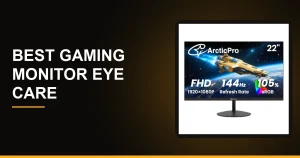 Best Gaming Monitor Eye Care: Five Picks Compared CarefullyCompare five gaming monitor eye care picks by refresh rate, eye-care features and colour…Read next →
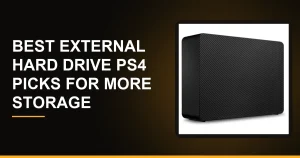 Best External Hard Drive PS4 Picks for More StorageCompare five external hard drives for PS4 use, with stated capacity, dimensions, weight and…Read next →
 Best Keycaps PBT for Mechanical Keyboards ComparedCompare five PBT keycap sets for mechanical keyboards, from a 138-key Cherry profile set…Read next →
Product and ASIN Reference
| Product | ASIN | Buy |
|---|---|---|
| Logitech C920x HD Pro PC Webcam | B085TFF7M1 | View on Amazon |
| Logitech Brio 101 Full HD 1080p Webcam | B0BXGFFSL1 | View on Amazon |
| Logitech MX Brio Ultra HD 4K Webcam | B0BFJ4CRKD | View on Amazon |
| Logitech Brio 4K Webcam | B09NBWWP79 | View on Amazon |
| Insta360 Link 2 Pro 4K PTZ Webcam | B0G3T1QKWL | View on Amazon |

Write Your Review
No reviews yet. Be the first to share your experience!